How to Match Pet Food by Breed, Age, and Health Needs on Shopify
Learn how to build a dog food selector on Shopify that matches products by breed, age, and health needs. No AI required. Reduce returns and grow customer trust.
 Luke Tran
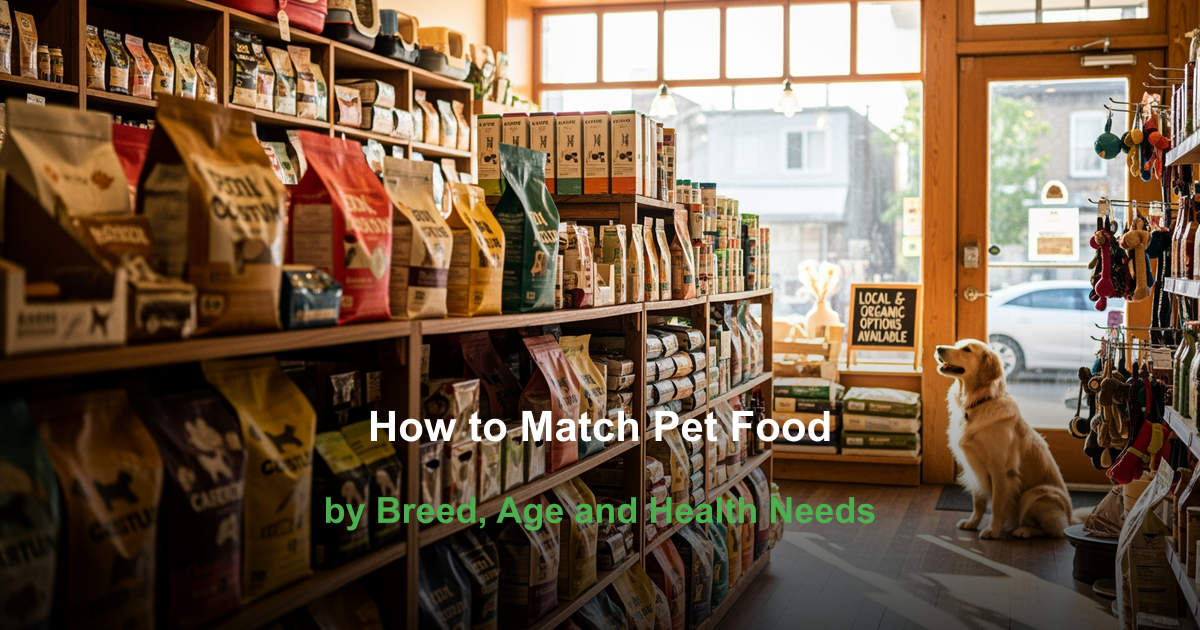
A customer lands on your Shopify pet store. She has a 9-year-old
Golden Retriever with hip dysplasia and a chicken allergy. Your store
sells 60 different dog foods. She scrolls, reads ingredient panels,
tries to compare protein percentages, and after eight minutes she
leaves. She goes to Chewy instead.
This is the core problem for independent pet food stores on Shopify.
You have better products than the big retailers. You have more
specialized formulas for specific breeds and health conditions. But your
customers cannot find them. They are not pet nutritionists. They are dog
owners who just want to feed their dog the right food without spending
an hour reading labels.
A dog food selector fixes this. It asks the customer a few questions
about their dog (breed, age, health needs, allergies) and instantly
shows them the three or four foods in your catalog that actually match.
No scrolling through pages. No ingredient-guessing. No bounced traffic
going to Amazon.
In this post, you will learn how to build a dog food selector on your
Shopify store. We will cover which pet attributes to capture, how to
structure your matching rules, and how to handle the health and allergy
exclusions that most generic recommendation tools get wrong.
Why Most Pet Stores
Get Food Matching Wrong
Most Shopify pet stores organize their dog food the same way: by
brand, by format (dry, wet, raw, freeze-dried), and sometimes by life
stage if the store has put in the work. This works fine for the customer
who already knows exactly what they want. It fails for everyone
else.
Think about how a customer actually shops for dog food. They are not
thinking about brands. They are thinking about their dog. A customer
with a 6-month-old German Shepherd puppy needs a large-breed puppy
formula with controlled calcium levels to protect joint development. A
customer with a 12-year-old Chihuahua with missing teeth and kidney
issues needs a small-kibble senior formula with reduced phosphorus. Same
store. Same dog food category. Completely different products.
The standard category and filter approach forces every customer to
become an amateur pet nutritionist. They have to understand AAFCO life
stage standards, know whether grain-free is right for their dog, check
ingredient panels for their dog’s specific allergens, and
cross-reference breed size with kibble size. Most customers will not do
this. They will leave.
The pet stores that win are the ones that do the matching for the
customer. They ask the right questions and filter the catalog down to
the four or five products that actually apply. This is how in-store pet
shop employees have always worked. A good employee does not say “the
food is in aisle four.” They ask about the dog. Breed, age, any health
issues. Then they walk the customer to two or three specific products.
Your online store should do the same thing.
What
to Capture: The 5 Pet Attributes That Power Food Matching
A pet food selector only needs five attributes to match better than a
generic search or category filter. Here is what to ask and why each one
matters.

Species. Dog or cat. Obvious, but it is the first
branch in the decision tree. If you sell food for both, this is your
first question. If you only sell dog food, skip it. (Cat food matching
uses the same framework with species-specific nutritional needs.)
Breed size. Toy (under 12 lbs), small (12 to 25
lbs), medium (25 to 50 lbs), large (50 to 100 lbs), or giant (over 100
lbs). Breed size determines kibble size, calorie density, and whether
the dog needs large-breed specific formulas. Large and giant breed
puppies need carefully controlled calcium and phosphorus ratios to
prevent developmental orthopedic diseases. Small breeds need higher
calorie-per-cup density because they have faster metabolisms and smaller
stomachs.
Age and life stage. Puppy (0 to 12 months), adult (1
to 7 years), or senior (7 and older). AAFCO establishes different
nutritional minimums for each stage. Puppy food requires a minimum of
22.5 percent protein and 8.5 percent fat on a dry matter basis. Adult
maintenance food drops to 18 percent protein and 5.5 percent fat. Senior
dogs often benefit from lower calorie density, added glucosamine and
chondroitin for joint support, and increased fiber for digestive health.
The life stage question alone eliminates roughly two thirds of most
catalogs.
Health conditions. This is where most generic
recommendation tools fall apart. You need to capture the conditions that
affect food choice: weight management and obesity, joint issues and
arthritis, sensitive stomach and digestive problems, kidney and urinary
health, diabetes and blood sugar management, and food allergies and skin
conditions. Each condition maps to a specific nutritional profile.
Weight management means lower fat and higher fiber. Kidney issues mean
reduced phosphorus and controlled protein. Diabetes means low glycemic
ingredients and consistent carbohydrate levels.
Known allergies. This is the exclusion filter. If a
customer says their dog is allergic to chicken, every product containing
chicken, chicken meal, chicken fat, or chicken by-products must be
excluded from the results. No exceptions. The same applies to beef,
dairy, wheat, soy, and other common canine allergens. The allergy filter
is a hard exclusion, not a preference ranking, and it must run after the
other matching rules. An otherwise perfect food that contains the
allergen is not a match.
Five attributes. Species, breed size, life stage, health conditions,
allergies. That is all you need to cut a catalog of 60 foods down to the
three or four that actually fit a specific dog.
How to Build Matching
Rules That Scale
Once you have the attributes, you build conditional rules that map
each combination of answers to the right products. The logic is
straightforward and transparent, which is exactly what pet owners want
when it comes to their dog’s nutrition.

The matching system works in layers. The first layer is nutritional
inclusion: match the life stage and breed size to AAFCO-compliant
formulas. The second layer is health condition matching: further narrow
to formulas that support the dog’s specific health needs. The third
layer is allergy exclusion: remove any remaining products that contain
known allergens.
Here is how a rule chain works for a real scenario. A customer has a
4-year-old medium-breed adult dog with weight issues and a chicken
allergy. The life stage rule selects all adult maintenance formulas. The
breed size rule narrows to formulas suitable for medium breeds. The
health condition rule filters to weight management formulas with lower
fat and higher fiber. The allergy exclusion removes every product
containing chicken in any form. What is left is a short list of weight
management foods suitable for a medium adult dog with no chicken
ingredients. The customer sees three or four options instead of 60.
This layered approach is important because it is auditable. You can
look at the rules and understand why a product was included or excluded.
If a customer asks “why didn’t you show me this food,” you can answer
with the specific rule that filtered it out. That transparency builds
trust. Pet owners are skeptical of black box recommendations when it
comes to their dog’s health.
Setting This Up with
Profily on Shopify
Here is how to build this dog food selector using Profily’s
profile-based matching. You do not need a custom app, an AI
recommendation engine, or a developer. The setup takes a few hours.
Step 1: Create your pet profile form. In Profily,
define five customer attributes. Species as a dropdown with two options.
Breed size as a dropdown with five options (toy, small, medium, large,
giant). Life stage as a dropdown with three options (puppy, adult,
senior). Health conditions as a multi-select checklist (weight
management, joint health, sensitive stomach, kidney health, diabetes,
skin and coat, none). Allergies as a multi-select checklist (chicken,
beef, dairy, wheat, soy, corn, none). Add this form to your store’s
account page or as a post-purchase prompt.
Step 2: Tag your food products by match criteria. Go
through your dog food catalog and tag each product with the attributes
it matches. A large-breed puppy food gets tagged breed_size:large-giant
and life_stage:puppy. A grain-free senior weight management formula gets
tagged life_stage:senior and health:weight_management and
allergen:grain_free. A limited-ingredient food for dogs with allergies
gets tagged with its specific protein source and the allergen safe tags.
Tagging is a one-time setup investment. Start with your top 30 products
and expand over time.
Step 3: Build your conditional matching rules. Under
conditional rules in Profily, create a rule chain. The first rule
handles life stage: if life stage equals puppy, filter to products
tagged life_stage:puppy. The second rule handles breed size: if breed
size is small, further filter to products tagged for small breeds. The
third rule handles health conditions: if health includes joint_health,
filter to products containing glucosamine and chondroitin support. The
fourth rule handles allergies as a hard exclusion: exclude any product
tagged with the customer’s specific allergen. The rules cascade. Each
one narrows the result set.
Step 4: Display the matching results. Use the
Profily smart recommendations block on your collection pages and
homepage. When a customer who filled out a pet profile visits your
store, they see only the foods that match their dog. Not all 60
products. Not a generic “best sellers” list. A personalized shelf built
for their specific dog.
Step 5: Handle multi-pet households. Some customers
have more than one dog. Profily supports multiple profiles per account.
A customer can create a profile for their Golden Retriever and another
for their Chihuahua. When they switch profiles, the product
recommendations update. This is important for households with dogs at
different life stages or with different health needs.
The setup takes an afternoon. From that point on, every customer who
creates a pet profile sees a personalized food selection every time they
visit. The matching rules run on the profile data. When you add new
products, you tag them and they automatically appear for the right
customers.
Why
Profile-Based Matching Beats a Quiz App for Pet Food
Quiz apps are a common recommendation on Shopify and they work well
for one-time product discovery. But dog food is not a one-time purchase.
It is a recurring subscription where the dog’s needs change over
time.
A quiz gives a result once. The customer answers 10 questions, gets a
food recommendation, adds it to cart, and that session is over. If the
dog moves from puppy to adult, or develops a new allergy, or gains
weight and needs a weight management formula, the customer has to retake
the quiz. Most customers will not. They will keep buying the same food
they were first recommended even if it no longer fits their dog.
A customer profile approach is different. The customer fills out
their dog’s profile once. The matching rules run on every visit. If the
customer updates a single attribute (changes life stage from puppy to
adult, or adds a new health condition), the entire recommendation set
updates instantly. If they browse a new category like treats or
supplements, the rules already know the dog’s allergies and health needs
and filter accordingly.
This also solves the multi-dog household problem better than a quiz.
A quiz recommends one product to one dog at a time. A profile system
lets the customer switch between dogs and see different recommendations
for each. The Golden Retriever sees large-breed senior joint support
food. The Chihuahua sees small-kibble adult maintenance food. Same
store. Same account. Different dogs. Different recommendations.
For a pet food store, this is the difference between being a
commodity retailer (anyone can sell the same bag of kibble) and being a
trusted resource that knows each customer’s dog by name.

Get Your Dog Food
Selector Running Today
Your customers are not pet nutritionists. They should not have to
read ingredient panels, compare AAFCO statements, and cross-reference
breed size charts just to buy dog food. They should be able to tell you
about their dog and see the right food. Your store should do the
matching, not the customer.
You do not need an expensive AI recommendation engine to build this.
You need five pet attributes, a set of conditional rules, and a matching
system that filters products by profile instead of by popularity. The
result is a shopping experience where every customer sees only the food
that fits their dog. They buy with confidence, return less, reorder more
often, and tell other dog owners about your store because you made
feeding their dog easy.
Install
Profily on your Shopify store and build a dog food selector that
works the way a great pet store employee works: by getting to know the
dog first.